

I’ve been seeing a lot of social media posts lately about people building entire web apps just by typing a single sentence into an AI prompt. Honestly, I didn’t believe most of it. Usually, these “no-code” demos look cool in a 15-second video, but when you actually try them, you end up with broken buttons, weird layout bugs, or junk code.
So, I decided to test v0.dev by Vercel myself to see if it’s actually usable for a non-developer or just overhyped marketing.
I picked a simple project: a Habit Tracker. Nothing fancy, just something that lets me type a habit, save it, and mark it done. Here is how it actually went.
Starting with a Lazy Prompt
Instead of writing a complex 3-paragraph prompt with strict design rules, I kept it super basic on purpose. I wanted to see what default decisions the AI would make on its own.
“Build a modern Habit Tracker app with a progress bar and dark mode”
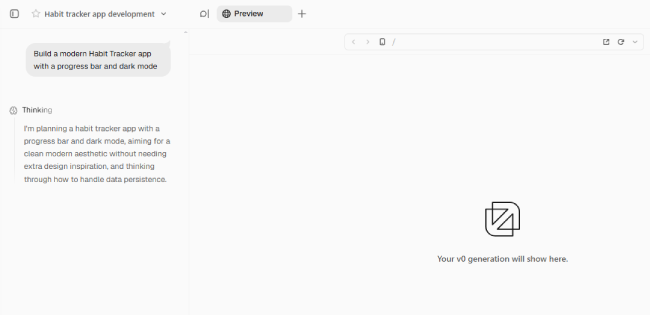
Right after hitting enter, the left sidebar started filling up with code execution logs. It automatically chose Next.js, set up React components, and imported Tailwind CSS. Seeing the thought process live was actually pretty neat because you know it’s not just pasting a static template.
The First Look: Surprisingly Clean
It took about 20 to 30 seconds for the preview to render. It automatically named the app Momentum.
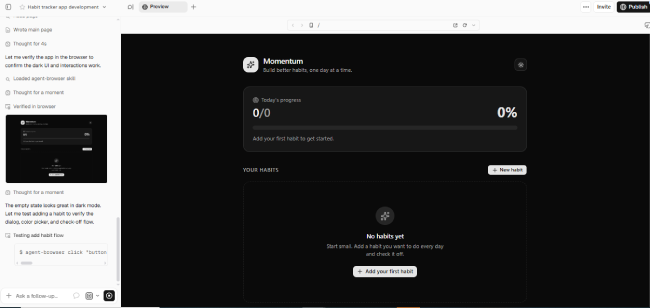
My first thought? The UI looked way better than I expected. Dark background, crisp text, and a clean progress bar at 0% waiting for data.
I mean, it looked like a finished product visually. But pretty mockups are easy—the real question was whether the buttons actually worked or if it was just an image.
Trying to Break It (Adding Data)
To test interactivity, I clicked “+ New habit“. I half-expected the preview window to freeze or throw a script error.
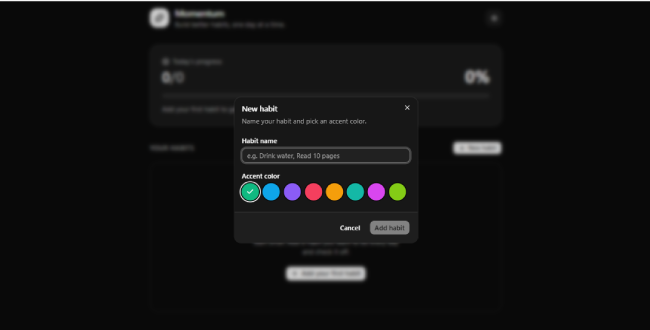
A smooth pop-up appeared instantly. It asked for a name and had color circles for customization. I typed “Drink water”, clicked the cyan circle, and saved.
It popped up on the dashboard right away. Plus, it saved to browser localStorage automatically, so refreshing the page didn’t erase my entry. That was a pleasant surprise.
Does the Math Actually Work?
Now for the main feature: checking off a habit to see if the progress bar updates properly. I hit “Completed today” on the card I just made.
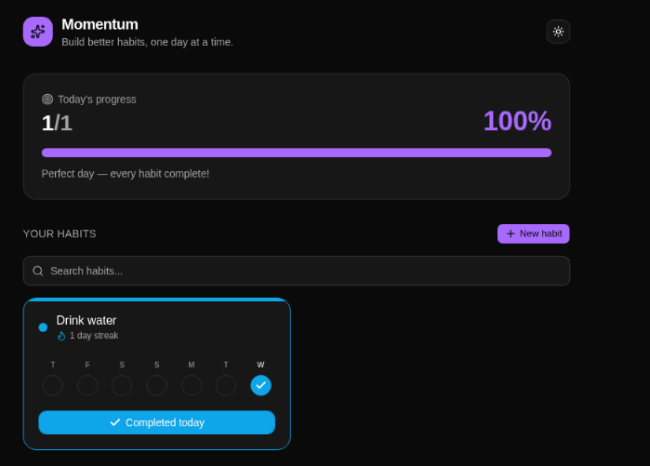
The whole screen updated seamlessly:
- Streak changed: Updated instantly to 1 day.
- Header updated: Changed status from 0/0 to 1/1.
- Progress bar: Animated to 100% with a “Perfect day” banner.
No lag, no broken styling, and no console errors. The search bar and dark mode toggle worked fine too.
What I Actually Think After Testing It
I expected to spend at least 15–20 minutes fixing broken UI elements or tweaking prompts. Instead, I got a working, interactive prototype in under two minutes.
Key Takeaways:
- No coding setup needed: No VS Code, no terminal, no npm installs. It runs right in your browser.
- It generates real logic: It’s not just HTML/CSS; the React state management and storage actually function.
- Easy tweaking: If you want a change (like changing button colors or adding a delete option), you just tell the AI in plain text and it updates the code.
Will this replace actual software engineering teams for huge, complex applications? No, of course not. But if you have an idea in your head and want to see a working prototype in minutes instead of weeks, tools like v0 or Bolt.new are definitely worth playing around with.
